Customer portal
Your customers see orders, delivery status, documents and invoices and send requests directly in the portal. Your office answers fewer phone queries because the status is visible at any time.
A portal brings together orders, documents, approvals and queries that run by email, phone and spreadsheet today. upbyte® builds it for your processes, connects your existing software and operates it in Germany.
Every portal is built for a specific process in your business.
Your customers see orders, delivery status, documents and invoices and send requests directly in the portal. Your office answers fewer phone queries because the status is visible at any time.
Dealers see their own prices and terms, place orders and approve them. Orders reach your ERP without retyping, and product data and documents come from there.
Your customers see their equipment and devices with service history, maintenance dates, spare parts and inspection reports. Inspection reports are ready right after the visit, and service visits are requested in the portal and go straight to your team.
Requests, documents, shifts and approvals for your own team, on a computer and on a smartphone. Who approved what remains traceable.
Subcontractors, suppliers or sales partners work on projects, tasks and files with you and invoice through the portal. Invoices are created from the recorded work, and everyone sees only what concerns them.
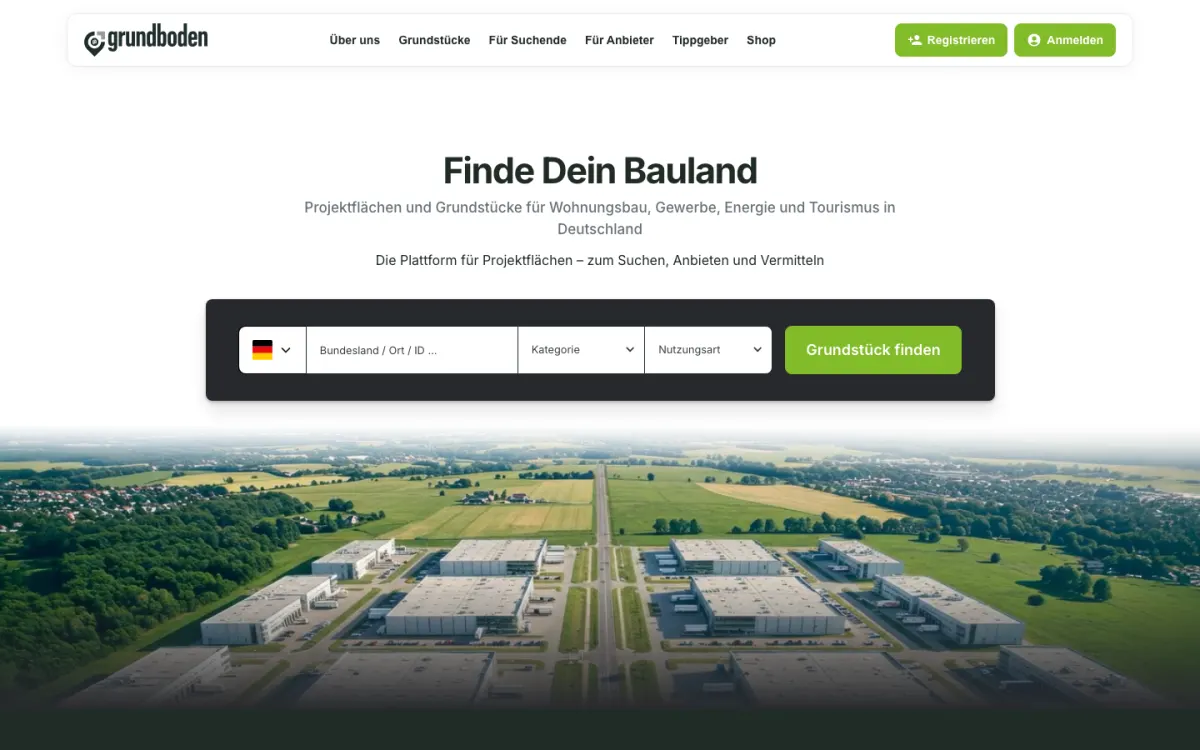
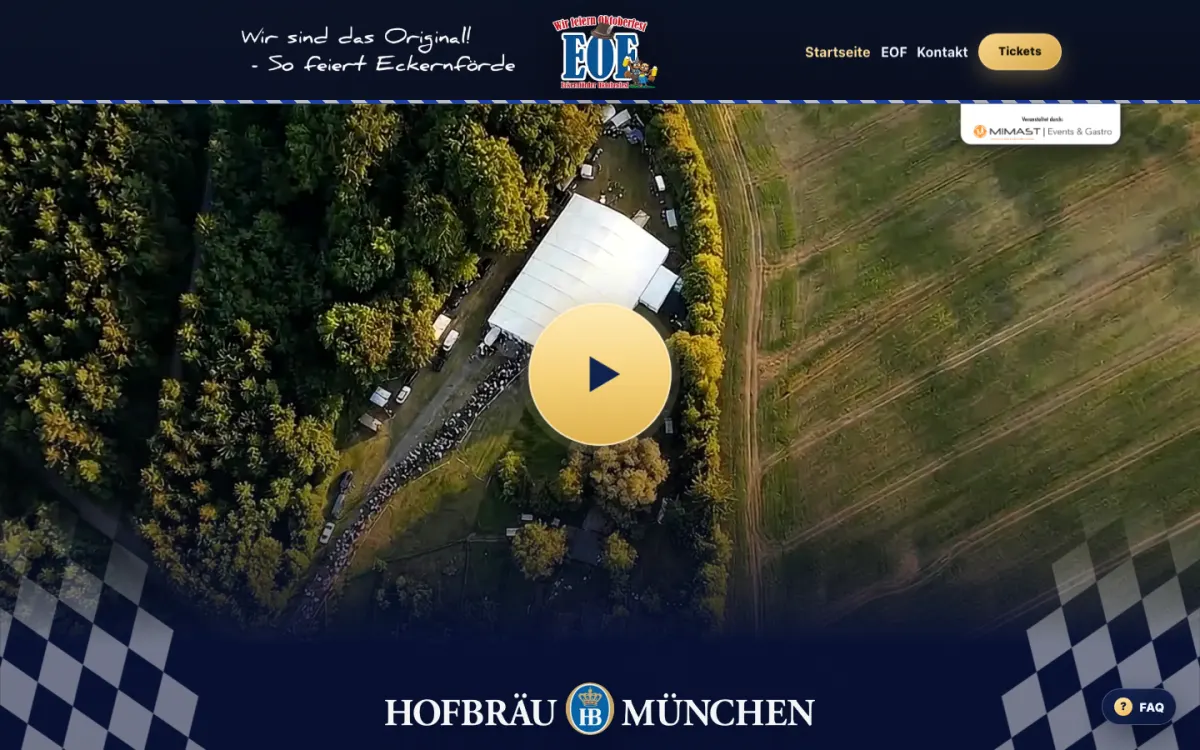
If standard software does not cover your process, we build the platform around the process. Examples are the grundboden® platform and the event system of the Eckernförder Oktoberfest.
An example for a business that maintains equipment and devices at its customers' sites. Your customer signs in and finds everything about their equipment in one place.
Separate access for each customer and each of the customer's staff, with a second factor on request.
Data from: Rights per customer, everyone sees only their own equipmentAll of the customer's equipment and devices with location, next maintenance date and open orders.
Data from: CRM and order dataDocumentation, service history, inspection reports and matching spare parts on one page.
Data from: Reports from your service visitsRequest a service visit or a spare part directly from the equipment page, with photos and a description.
Data from: Arrives as an order with your teamQuotes and invoices for every visit, to download and approve.
Data from: ERP and accountingWhatever does its job stays. The portal takes its data from the software you use today and writes orders back to it.
A portal is a running system. upbyte® keeps operating it after launch, with the same contacts.
Three systems that upbyte® has built and operates, with starting point, solution and result. The case studies are in German.
Platform for project sites and land with matching, property brochures, a shop and an interface for external portals.
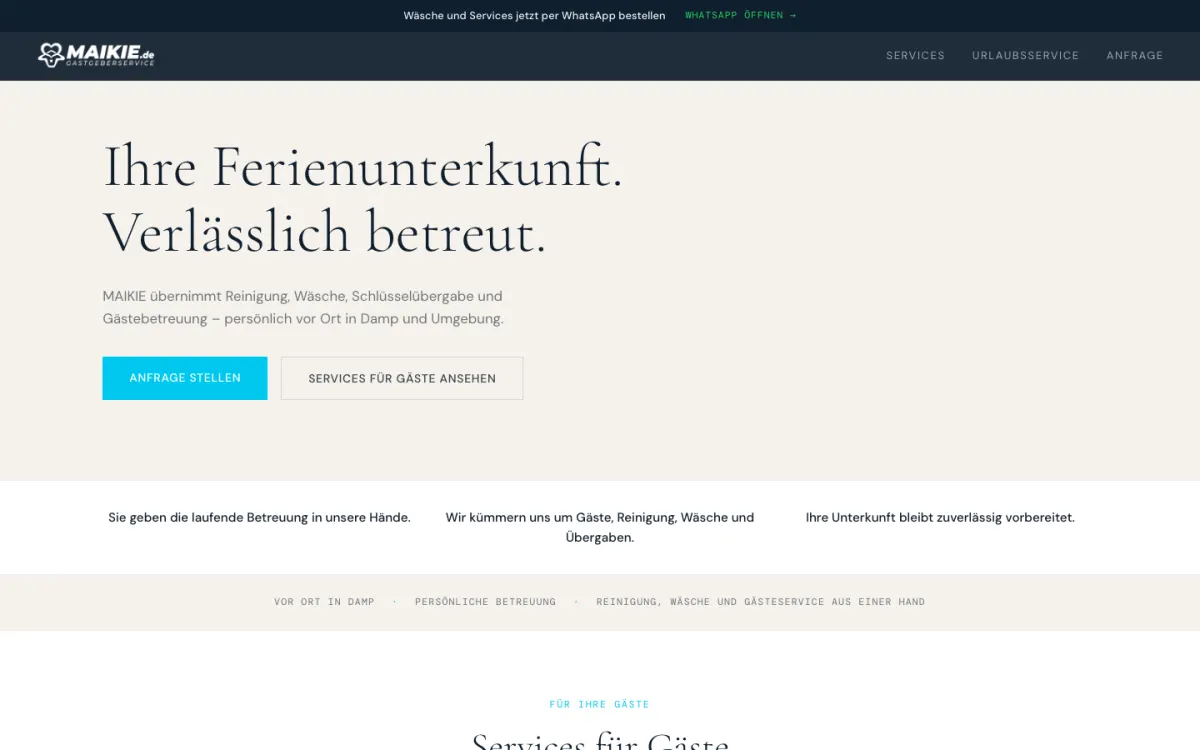
Service planning with a staff app, property files, invoicing and an email centre for around 150 properties.
Ticket sales, table reservations, admission and ERP for a festival with several thousand visitors.
That depends on the scope and the connections. After the initial call you receive a written assessment with an estimated budget range before you decide.
No. Whatever does its job is connected. Only what slows down daily work is replaced.
You do. upbyte® processes it on your behalf under a data processing agreement. The systems run on servers in Germany.
upbyte® takes care of hosting, monitoring, backups, updates and further development. Your contacts stay the same.
Dedicated people in charge who know your system respond. Fixed response times can be agreed in a service contract on request.
Responsibilities are shared across the team. A deputy who knows your project takes over, based on ongoing documentation of systems, processes and access details.
The handover of source code and documentation is set out in the contract, from the start if you wish. If you change provider, we hand over systems, data and documents in an orderly way with a handover record.
In 30 minutes we review the process, your existing software and the goal, and tell you openly whether custom software is worth it.